
MR Tischreservierungen Pro
WordPress table reservation plugin for restaurants, hospitality & cafés
Stop paying high commissions to reservation portals. With the WordPress table reservation plugin from MRStudio you get a complete system that runs on your own WordPress website. Guests book online, and you stay in control. Built for restaurants, cafés and food trucks.
Try it free for 14 days. Lifetime price* with no subscription and no fee per guest. No purchase required: Download the plugin
New reservation
19:30
Lisa · 4 guests
Confirmed- Only open times can be booked. Kitchen capacity is already included.
- Occasion set to birthday. The duration is scheduled automatically.
- The confirmation to Lisa has been sent, with a link to cancel.
- Push notification on your phone. Accept with one tap.
- Lisa, 4 guests. Note: window seat, if possible.
- 24/7Online booking
- SyncCalendar feed
- PushPhone app
Sample data. Tap an area to see what happens behind the scenes.
Everything in one plugin
The professional table reservation system for your restaurant
Manage reservations, opening hours and guest messages without the rush. Guests book online, and you save time on the floor.
Reservations
A short form. It only shows open times and hides anything that is already full.
Automatic emails
Confirmation, decline and cancellation go out on their own, in your guest’s language.
Events and occasions
Birthdays, weddings or company dinners, each with its own duration, booked in the same form.
Phone app
New reservations by push notification, with no app store.
Who MR Tischreservierungen Pro is for
Restaurants
Full evenings without the phone ringing. Capacity, seating time and the kitchen stay in balance.
Cafés
Breakfast, brunch or cake in the afternoon: guests book online, including small groups.
Food trucks
Fixed spots, special dates and events. Guests only see the times when you are actually there.
Restaurant events
Theme nights or private parties on their own dates, even on days you are otherwise closed.
How it works
From setup to the first online reservation
Ready in a few minutes.
Set up the plugin
The guided setup asks for the basics, opening hours and language.
Add the form
Place the reservation form on any page. No coding, and no changes to your theme.
Guests book online
Date, time, party size and contact: guests are guided through the booking.
Manage in the app
New reservations by push, accept with one tap, everything in the calendar.
Features
As reliable as a sharp knife in the kitchen
Everything for a smooth service: a booking form for your guests, a clear dashboard for you, and automatic emails for confirmation, decline and cancellation. Pick a section.
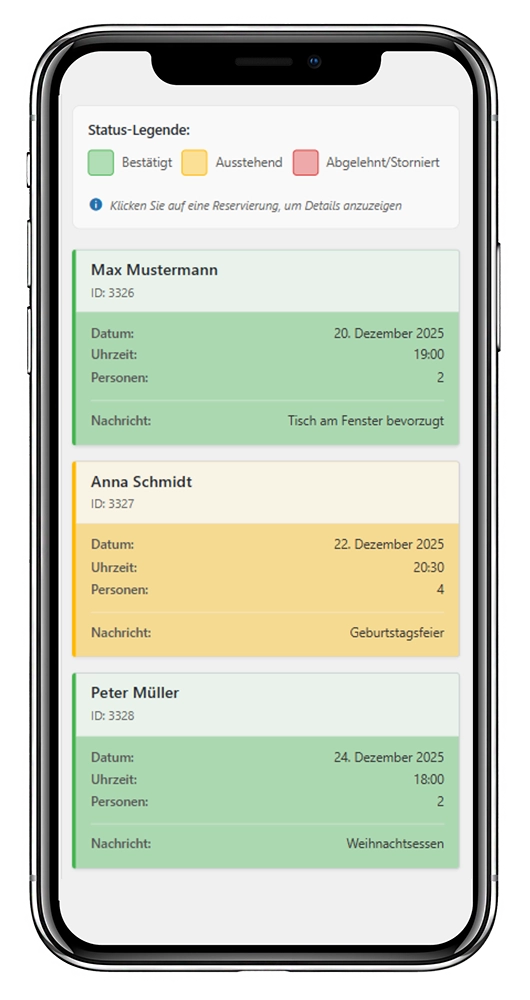
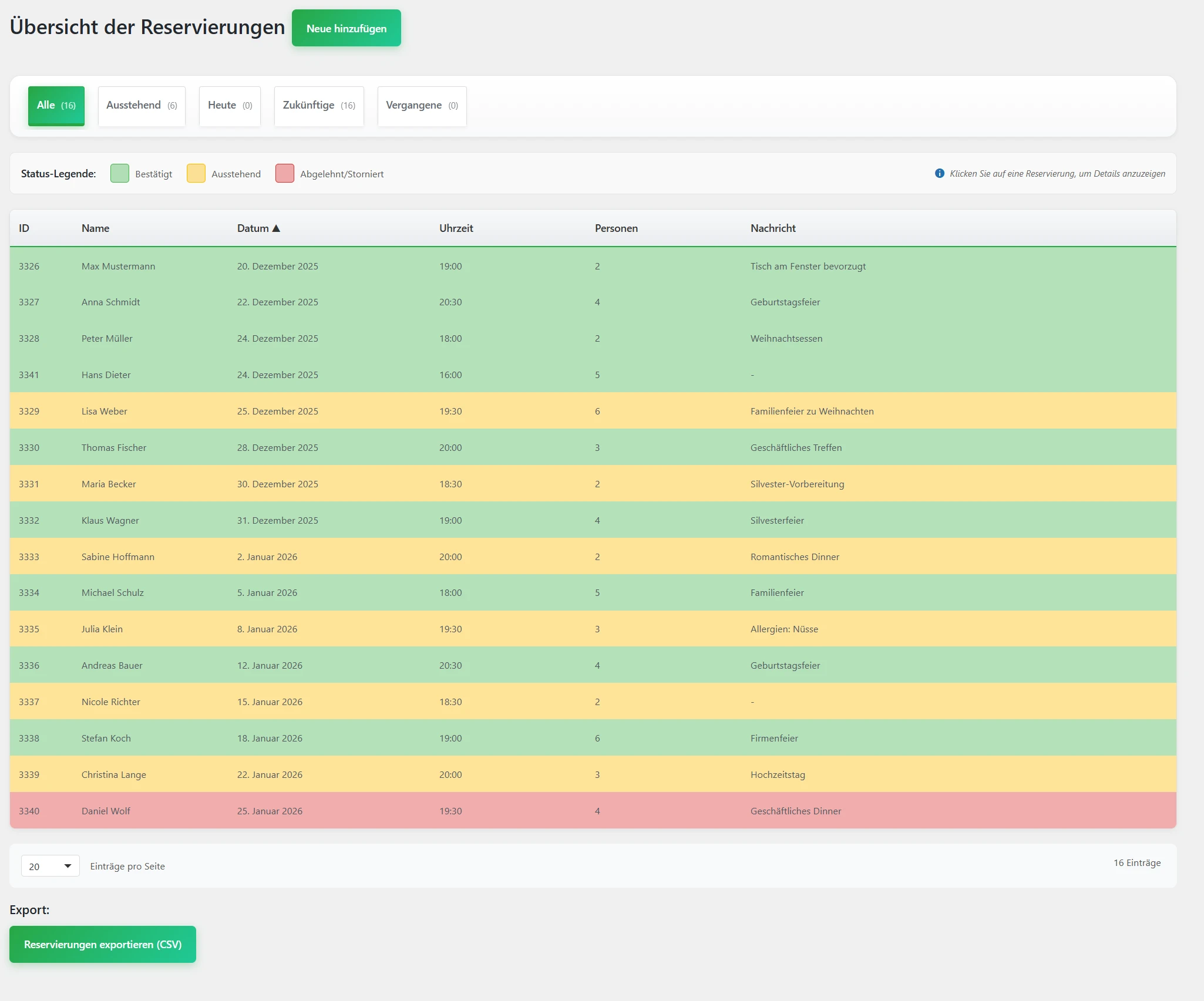
The dashboard for a working day
Full control of your reservations, on a computer or on your phone. You always know how full the room is.
- Filter by status and date range, and sort the list
- Color marks show open requests immediately
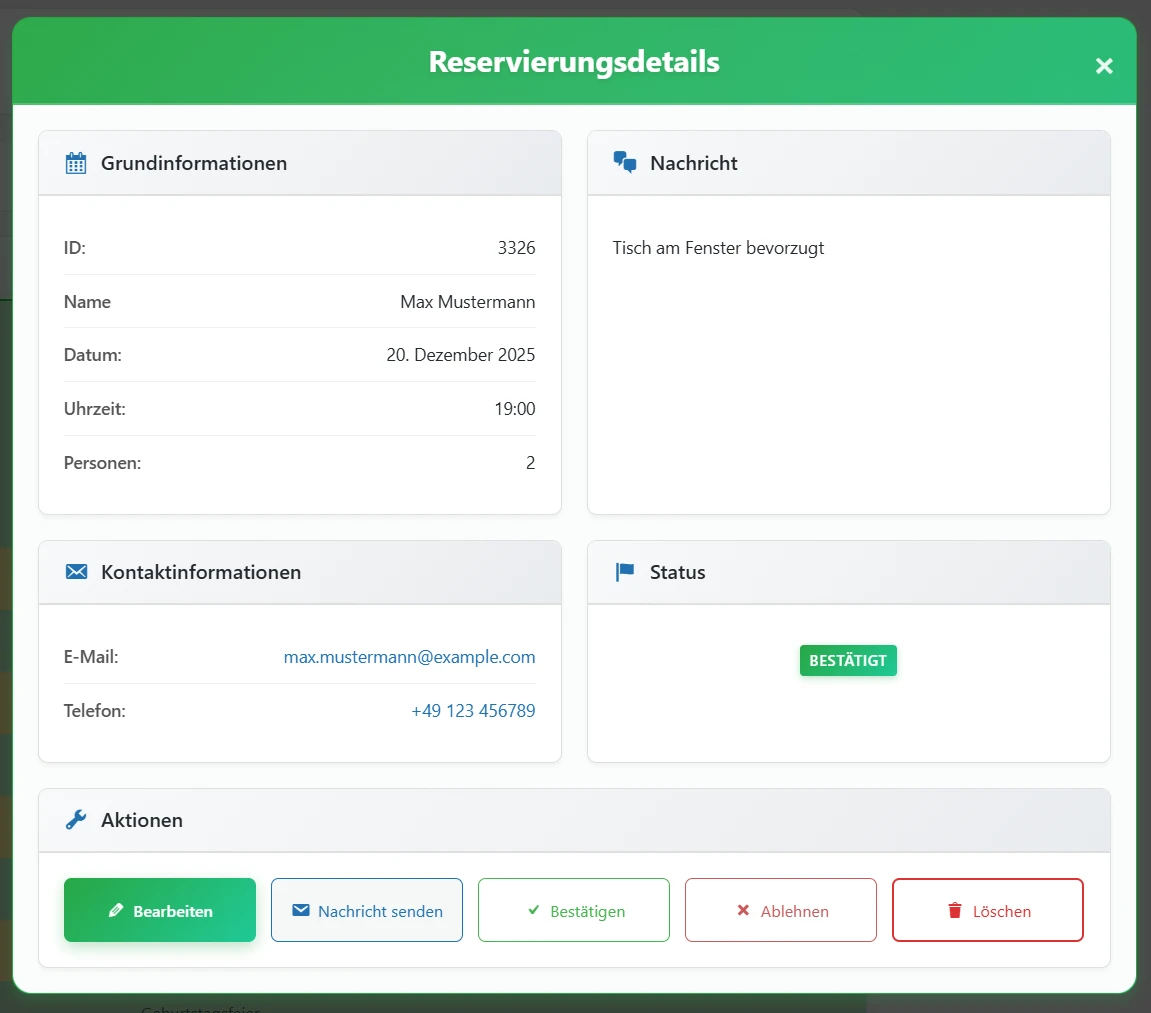
- Every detail in one click, without reloading the page
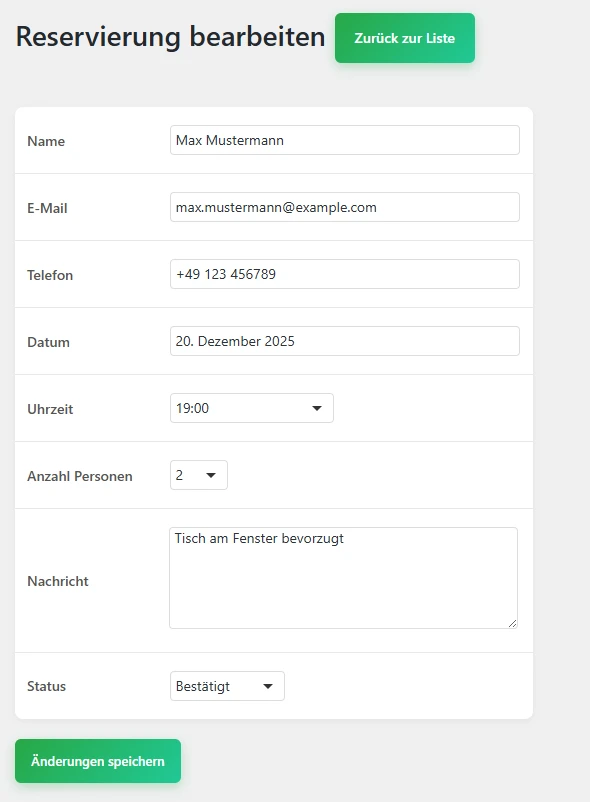
- Change the status, edit the details, or write to the guest
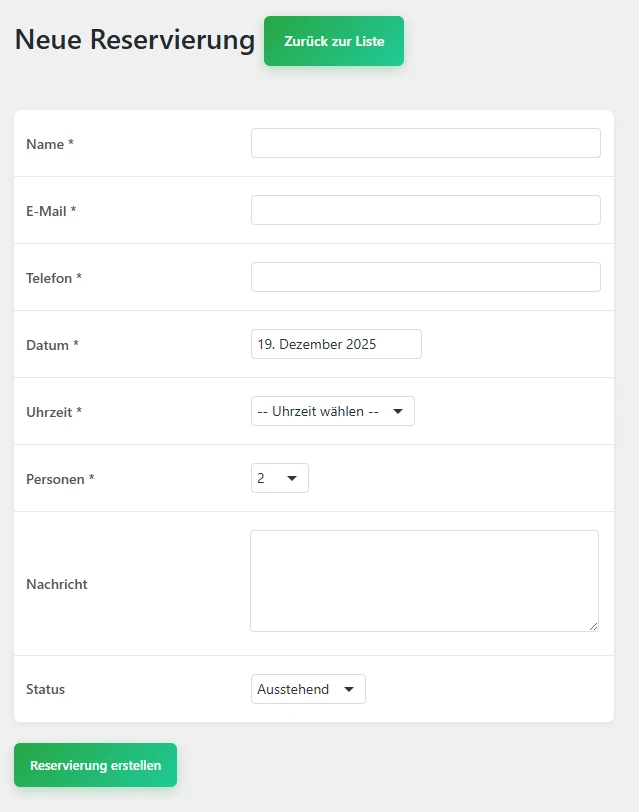
- Add phone bookings and walk-ins quickly
- Confirm or decline several reservations at once
- Cards or a table, whichever you prefer
- Export for your accounts, or print as a table or PDF
- Guided setup for a fast start
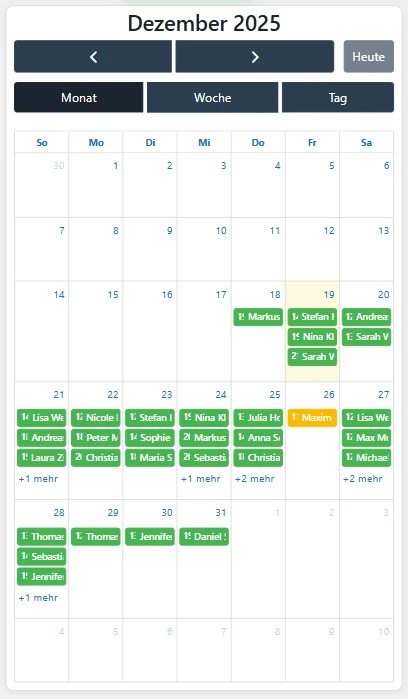
Calendar and calendar feed
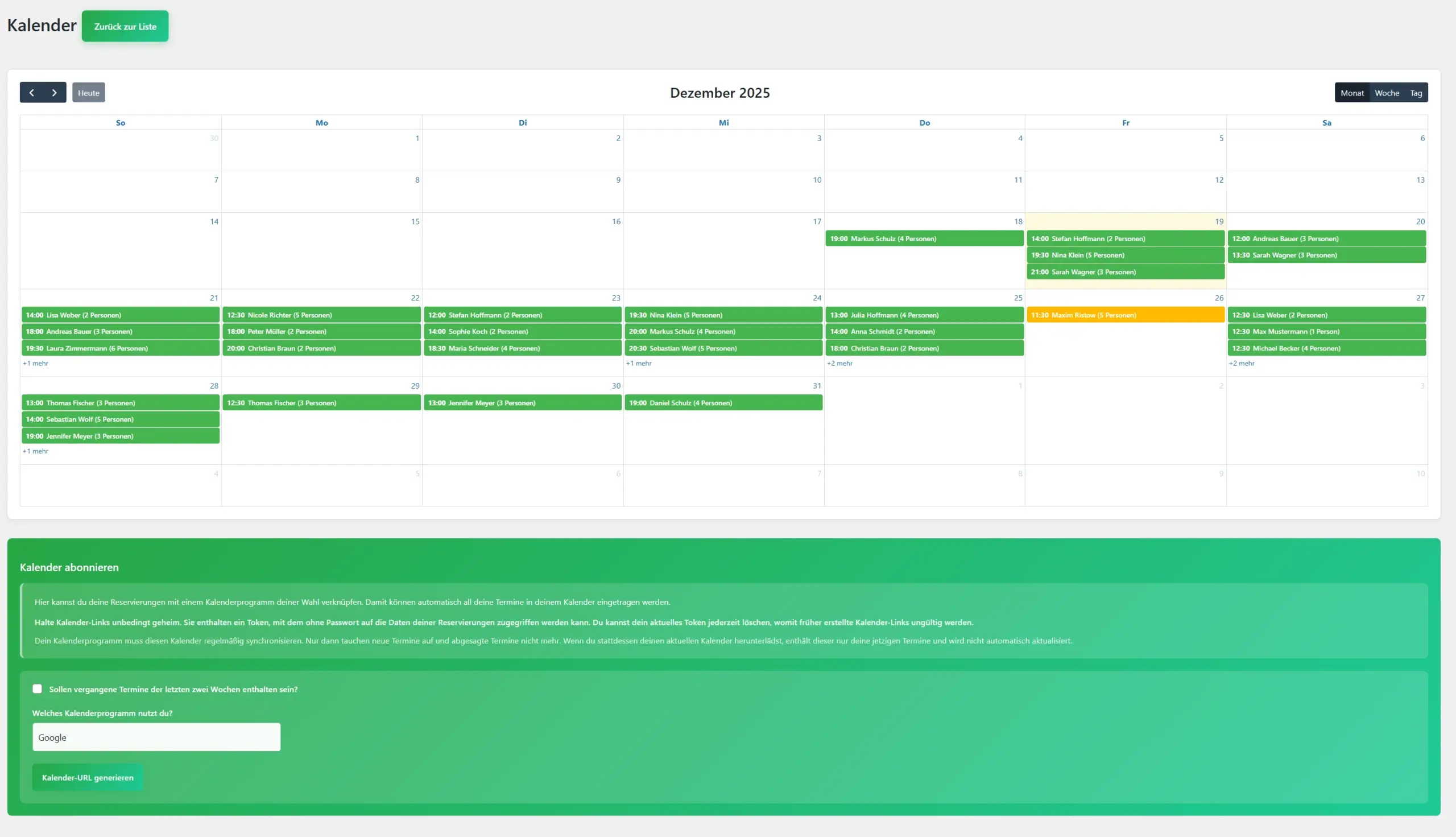
Plan visually instead of with rigid lists, and keep your reservations in view outside WordPress too.
- Switch between month, week and day
- Open the details and change the status right in the calendar
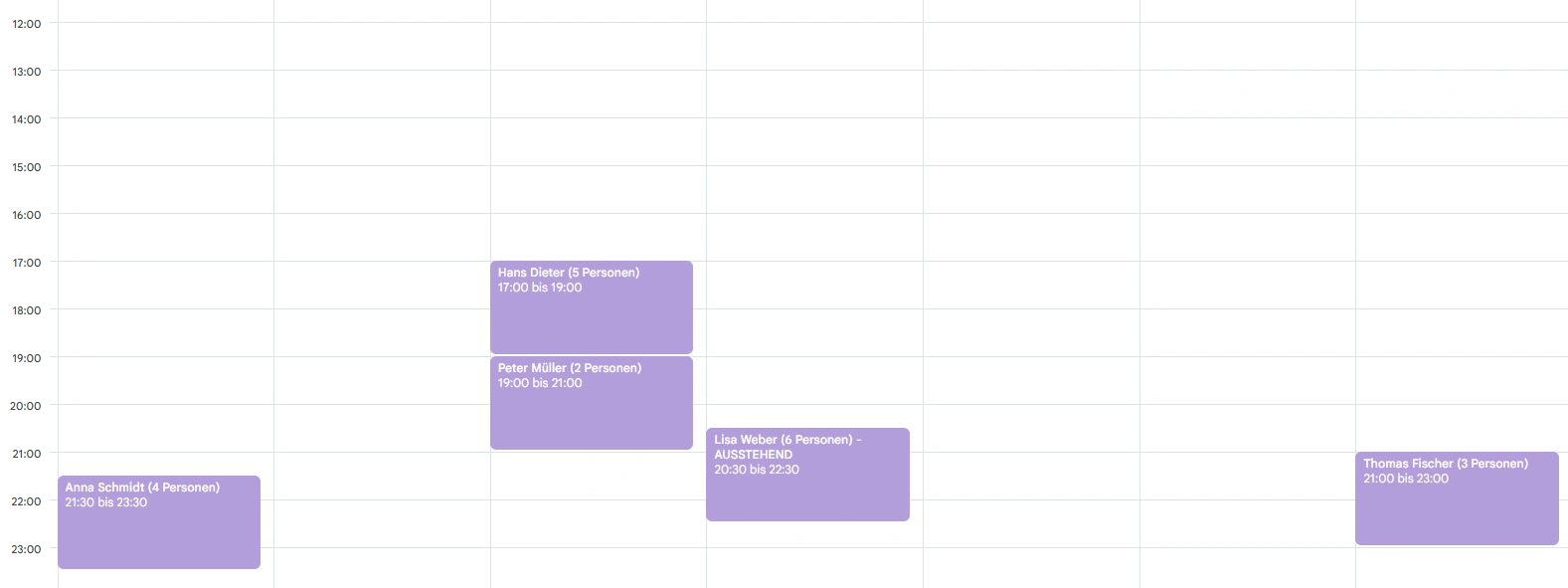
- Calendar feed for Google, Outlook, Apple and Thunderbird
- Colors show the status: green confirmed, orange open, red declined
- Open requests at a glance in the title
- Protected access to your calendar
- Past bookings from the last two weeks, if you want them
Opening hours that fit the way you work
From a normal week to a public holiday, the schedule matches how you actually run the place.
- Different hours for each weekday, days off simply switched off
- Time grid, maximum party size and seating time per reservation
- Public holidays and special days with their own hours
- Block vacation days in one step
- A minimum notice, so nobody books at the last minute
- Kitchen capacity per time slot, against the rush
Events and special occasions
Birthday, wedding or company dinner: offer more than a regular table and stand out.
- Your own occasions with their own duration, such as a birthday of 120 minutes
- The duration is included automatically when planning
- Guests choose between a table and an occasion in the same form
- Occasions on certain weekdays or on fixed dates
- Fixed dates appear as clear choice cards
- A single occasion is selected with one click
- Occasions can open days that are otherwise closed
- Only times that finish before closing can be booked
- The occasion appears in emails and in the reservation list
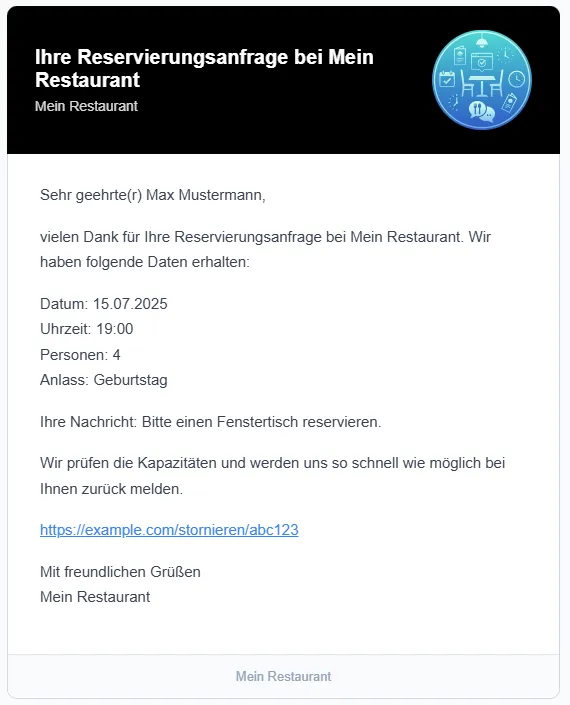
Automatic emails
Clear messages in your guest’s language. You save time and avoid mix-ups.
- Request, confirmation, decline and cancellation, each with its own template
- Templates for every language, already installed
- Placeholders for name, date, time, party size and more
- A cancellation link with a deadline, and a phone number for late changes
- A note to you for every new request and every cancellation
- Your own sender name and sender address
- A personal message to the guest via WhatsApp or Telegram
Design and languages
Matched to your brand and to international guests.
- Colors for background, text and buttons
- Corners from square to round
- A live preview in the dashboard
- Dark mode for the whole dashboard
- German, English, Dutch, Italian, Spanish, French, Polish and Russian
- English in British spelling, and with the US time format
- A calendar with translated months and weekdays
- The language follows WordPress, or you set it yourself
- Fits every screen
Your own phone app
Manage reservations on the go, like a regular app. No app store and no coding.
- Install it from the browser on iPhone and Android
- Your restaurant name as the app name, your logo as the icon
- Your own color for the app
- A push notification for every new reservation
- One-hand use, with navigation at the bottom
- Overview, calendar and editing while you are away from the desk
- Setup by QR code for the whole team
How booking works
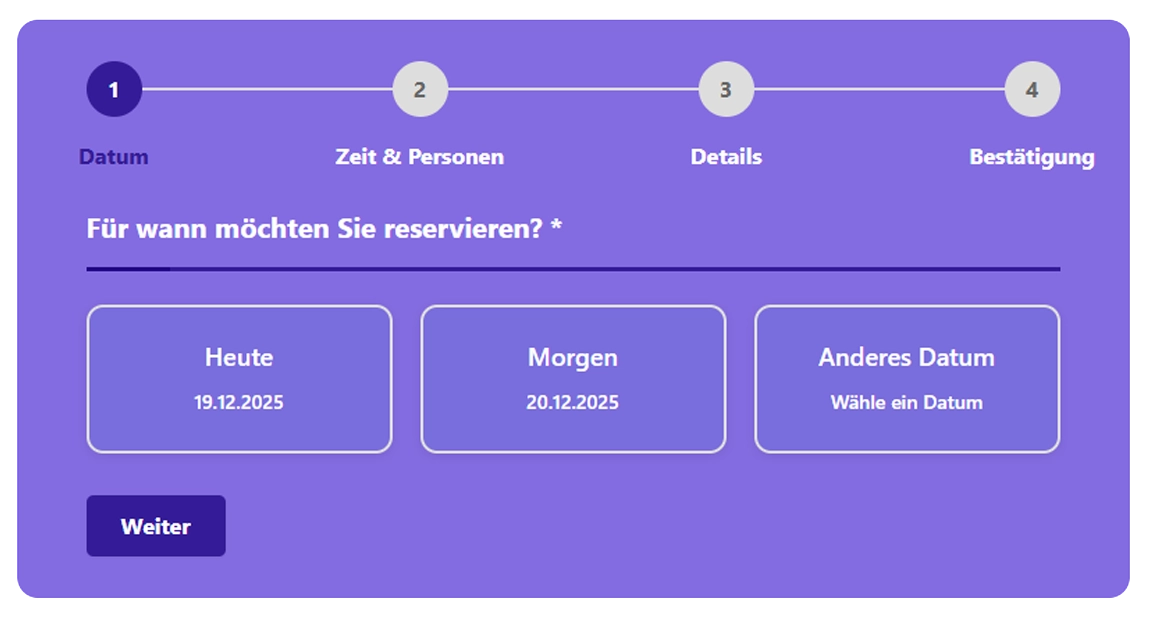
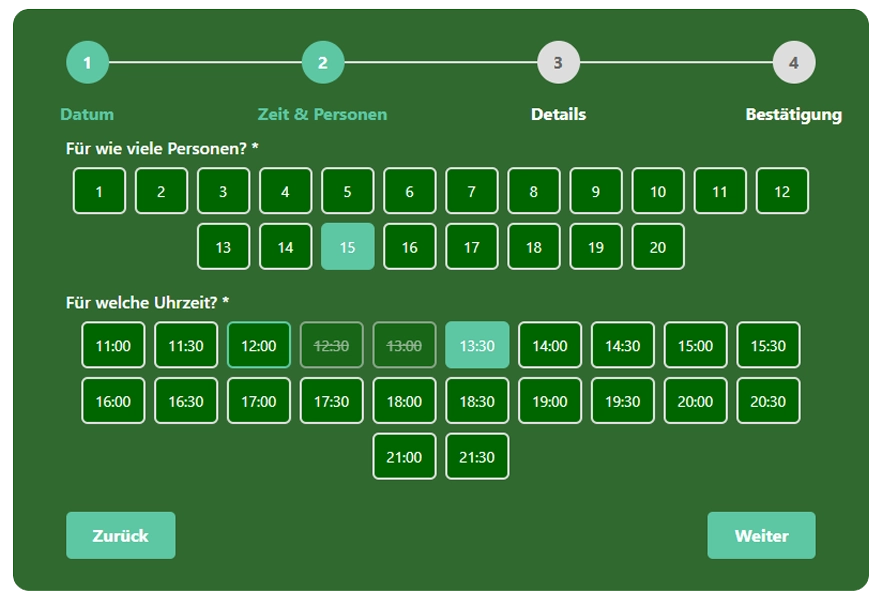
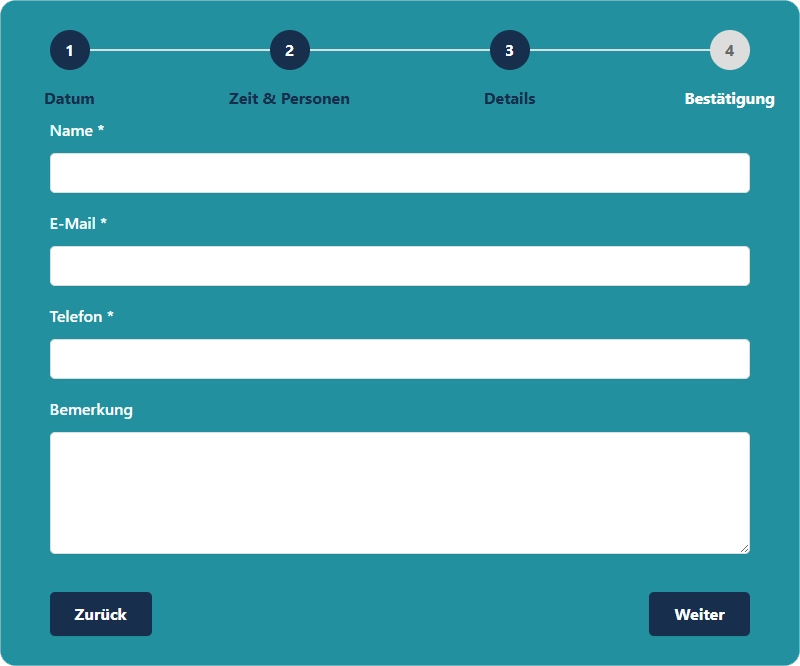
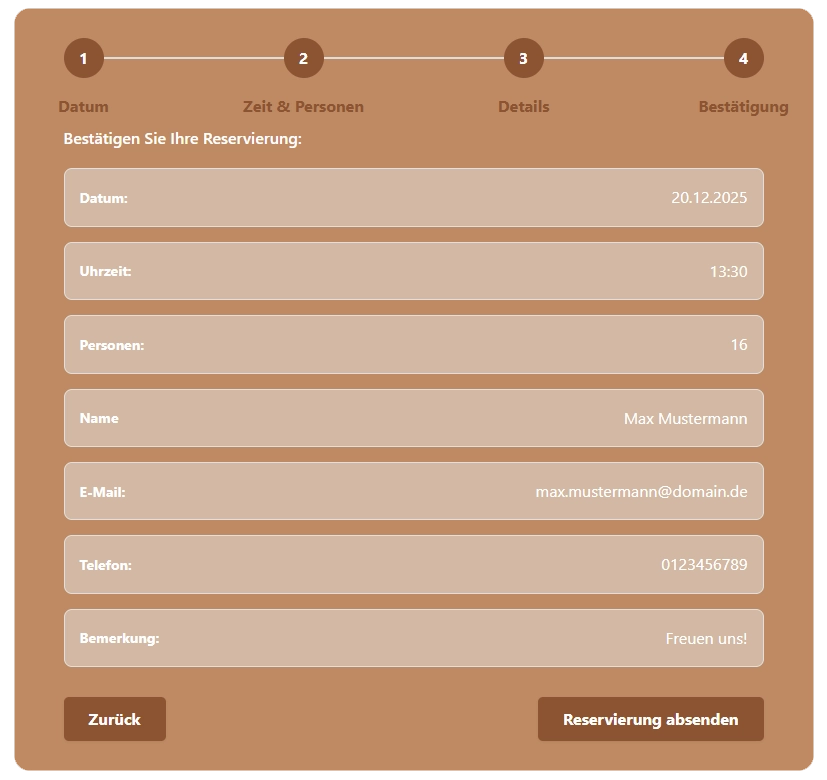
Four steps to a table
While you cook, serve or take payment, guests book on their own. Tap a picture to see it larger.
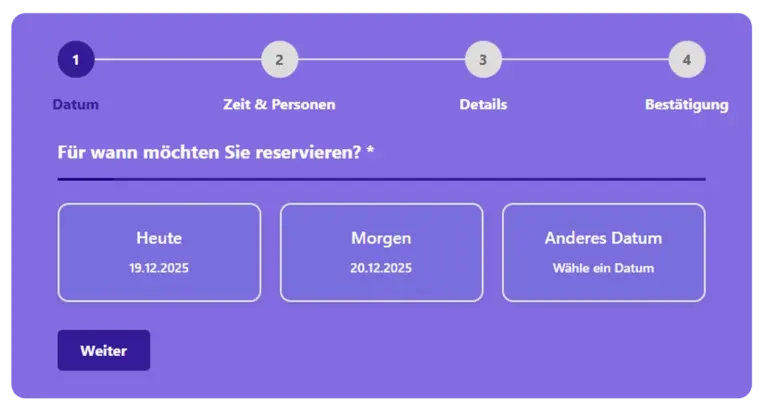
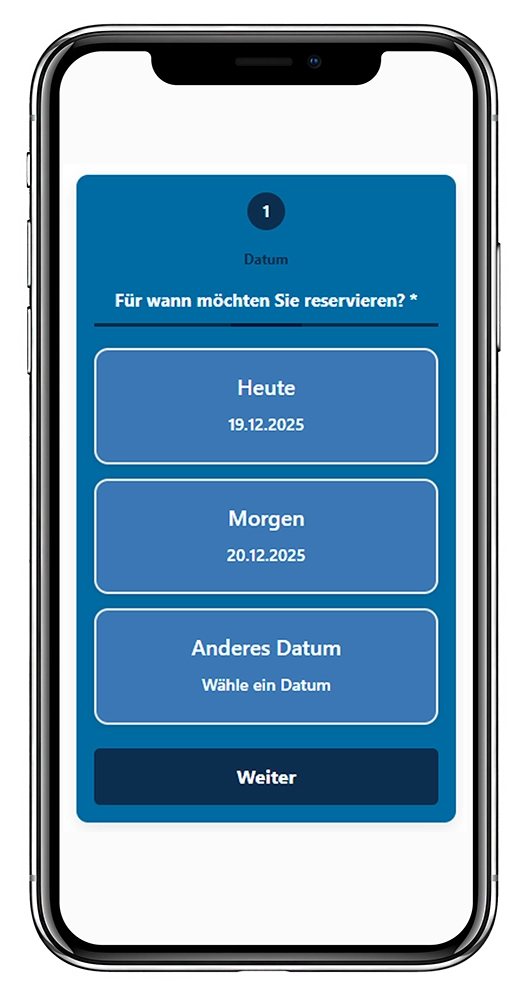
Choose a date
Guests pick the day in the calendar. Your closed days and public holidays are blocked.
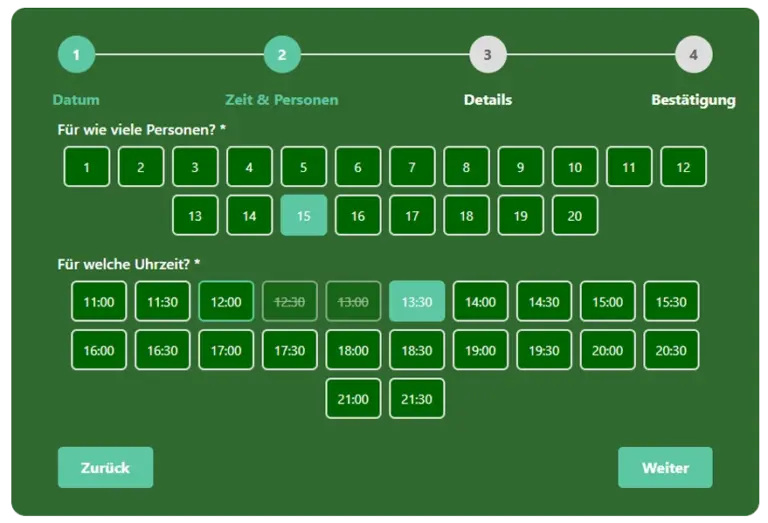
Time and party size
Only times that fit your capacity and opening hours are shown. Full slots are blocked.
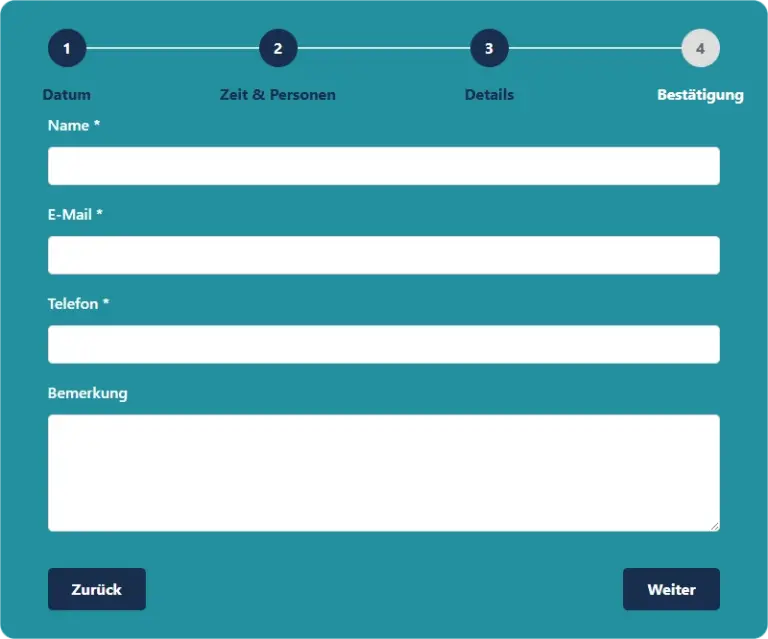
Contact details
Name, contact and, if they want, a note or an occasion. That is all.
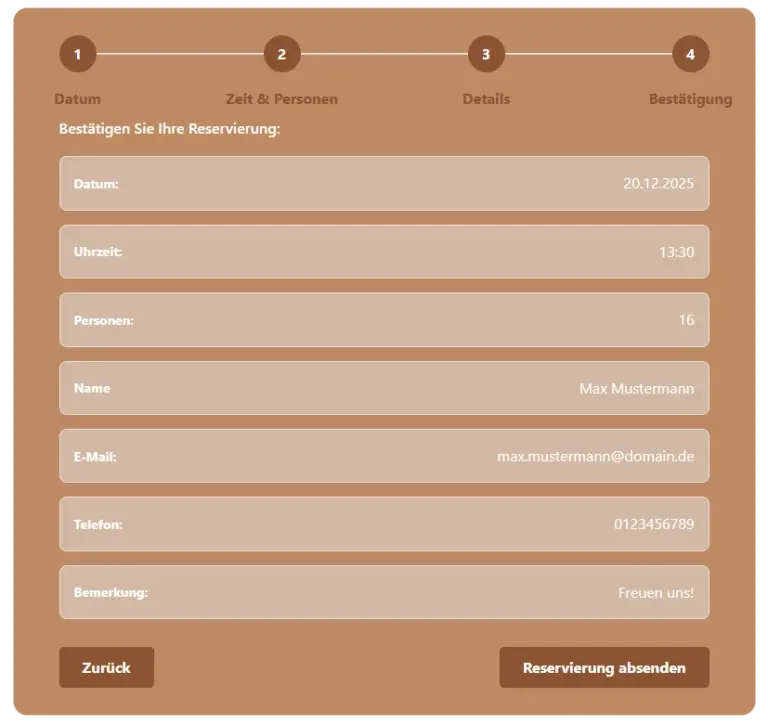
Done
The reservation is sent and the confirmation arrives by email. Guests can cancel themselves with the link.
A closer look
What MR Tischreservierungen Pro looks like
A look at the phone, the emails to your guests and the dashboard. Tap a picture to see it larger.
On the phone, away from the desk
The form, the dashboard and the calendar fit every screen.
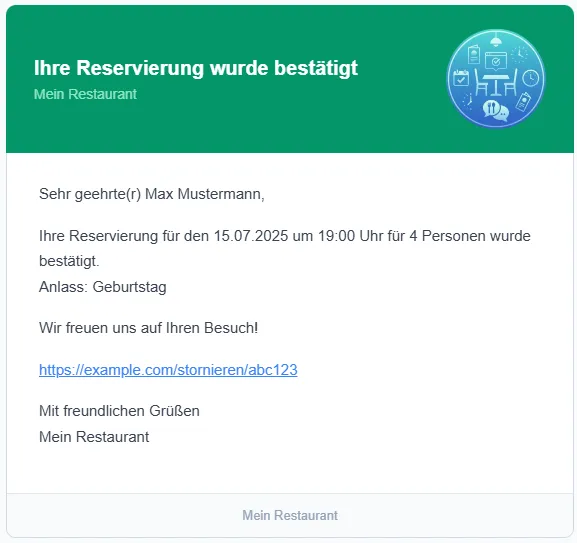
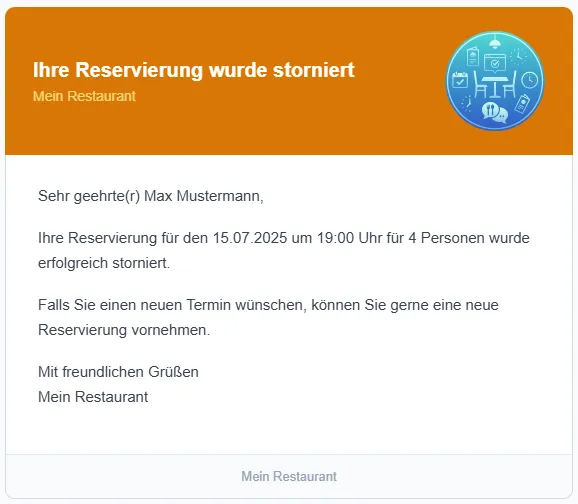
The emails to your guests
Every message goes out automatically, in a personal tone and in the right language.
The dashboard at a glance
Overview, details and calendar: every table stays in view.
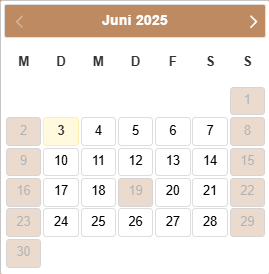
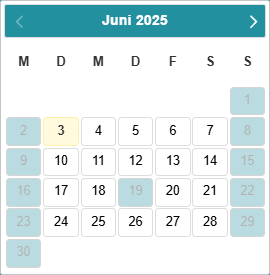
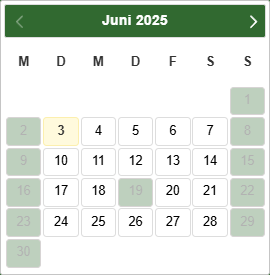
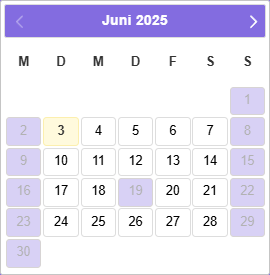
A calendar in your brand colors
The date picker uses your colors. You set closed days and public holidays yourself.
Cost comparison
Why rent it when you can buy it?
An honest 3-year cost comparison for restaurant reservations on WordPress.
- MR Tischreservierungen Pro one-time payment*109 €
- Bookly Pro add-on, €89 per year267 €
- Five Star Restaurant Reservations Ultimate plan, €297 per year891 €
- Alex Reservations Plus plan, €490 per year1.470 €
Note: prices are based on the public information from each provider and can change. The 3-year totals assume yearly subscriptions. Please check current prices and features on the providers’ own websites.
One price. No contract.
Your lifetime license* with no subscription
Every package includes all features. You pay once and keep using the plugin with no time limit.
For owners
Standard
€109 / 1 project
- License for 1 domain or project
- Updates for 12 months
- Support for 12 months
For developers
Pro
€299 / 5 projects
- License for 5 domains or projects
- Updates for 24 months
- Support for 24 months
For agencies
Ultra
€549 / 20 projects
- License for 20 domains or projects
- Updates for 24 months
- Support for 24 months
Support and updates
€69 per year
When the support and update period ends, you decide whether to add a support package. You can let it lapse and still buy it two years later. The price stays €69 per year, whether the license is Standard, Pro or Ultra.
* Licenses: a one-time payment, no subscription and no automatic renewal. The license for the version you bought does not expire. Updates and technical support are included from the purchase date for the period named with each package. After that you keep using the last installed version. Further updates are optional.
Try it free for 14 days. No purchase required. Download the plugin and try it.
Download the pluginBackground
Why your own reservation system is the better choice for a restaurant
Many restaurant owners look for a reliable WordPress restaurant booking plugin so they can run the floor digitally. The reason is simple: guests expect to book a table online, at any time. Instead of depending on large and expensive booking portals, more owners choose a system that runs on their own website. That is what I built this plugin for.
Independent of the big portals: the revenue stays yours
Large reservation platforms bring reach in the short term, and dependence in the long term. Most of them take a commission for every guest who books through their system. With your own WordPress table reservation plugin you pay once* for the software and then nothing per reservation. Every euro from a booking stays in your till.
More time for service
A full restaurant and a phone that never stops is a stressful mix. During service you have no time to write bookings into a book or answer emails. The system does that for you, and it is available all day. It checks availability, prevents double bookings and sends confirmations or declines to your guests. You avoid mistakes, save time every day, and stay with the guests in the room.
Privacy: you keep control of the data
With outside booking services, guest names, phone numbers and email addresses sit on someone else’s servers and are often used for the portal’s own marketing. With MR Tischreservierungen Pro all of that stays on your own web server, with no exchange with outside providers. That makes GDPR straightforward. The guest data belongs to you and to nobody else.
A system that grows with the business
A small café, a busy restaurant or a food truck: the software follows your opening hours and your capacity. From public holidays to protection against overbooking, you set the rules without making it complicated.
In short: if you want an affordable, safe and time-saving way to manage tables digitally, this WordPress table reservation plugin has the tools a modern restaurant needs. Set it up once and let the system work for you.
FAQ
Common questions about the WordPress table reservation plugin
Can I really try the plugin for free?
Yes. You can try every feature for 14 days on your own website, with no risk. You do not have to buy first. Download the plugin and test it in real service. If it fits, you buy the permanent license afterwards.
Are there hidden costs or a monthly fee?
No. You pay once for the license, with no subscription and no commission per guest. Updates and technical support are included from the purchase date for the period named with the package. After that the plugin keeps running in the last version you installed. Further updates are optional.
What does renewing support and updates cost?
Another year costs €69, whether the license is Standard, Pro or Ultra. You do not have to buy it the day the period ends. If it lapses, the installed version keeps working. You can still add the package two years later. The new year then starts on the day you buy it.
Do I need to know how to code?
Not at all. Setup takes a few minutes. You enter opening hours and table capacity in the dashboard. Simple color settings match the form to your current design.
What happens when the restaurant is full?
The system protects you from overbooking. You set how many people can be seated and how long a typical visit lasts. Once that capacity is reached, the calendar stops offering that time.
Can I block vacation days or private parties?
Yes, and it is straightforward. You can block single days in the dashboard. On those days guests cannot reserve a table. Different opening hours for public holidays can be planned ahead and adjusted for any day.
We have many international guests. Is the form multilingual?
Yes. Ready-made translations are included: German, English (including British spelling and the US time format), Dutch, Italian, Spanish, French, Polish and Russian. In the settings you choose the language that fits your website and your guests. The booking form, the dashboard and the automatic emails then all use that language.
Can I sync reservations with my calendar?
Yes. You can subscribe to a protected calendar. Reservations then show up in color in Google Calendar, Outlook or Apple Calendar. You can see how full the room is on your phone, even when you are away.
Can guests cancel their own reservation?
Yes. Every automatic confirmation includes a link. The guest can release the table if plans change. That seat becomes available again at once. It cuts down no-shows.
Do I have to log in to WordPress for every new request?
No. You can install the system as an app on your phone, with no app store. As soon as a new reservation arrives you get a push notification. Open the app and accept or decline with one tap. That saves you from logging in through the browser during a busy service.
What about privacy and the GDPR?
Because the plugin runs on your own WordPress website, guest data stays on your server. Nothing is shared with outside reservation portals. That makes the GDPR requirements much easier to meet.
In person
Questions about MR Tischreservierungen Pro?
I am Maxim, and I stand behind the plugin. Setup, occasions or the right license: just ask, and I will help.
Just ask.
You can reach me by WhatsApp, phone, email or LinkedIn. I reply myself.
Bock auf eine schöne Homepage?
Ich bau dir eine.Vom ersten Gespräch bis zur fertigen Seite. Persönlich und ohne Fachchinesisch.