
PocketBooking Pro
Simple Booking Plugin for every trade
Stop paying high commissions to booking portals. With PocketBooking Pro your customers book appointments on your own WordPress website, and they choose the service and the staff member. You stay in charge of appointments, services and your team. Built for hairdressers, beauty salons, clinics, workshops and anyone who takes appointments.
Try it free for 14 days. Lifetime price* with no subscription and no commission per appointment. No purchase and no details required: Download the plugin
Sample data. This is what your day looks like in the app.
Everything in one plugin
The WordPress booking system that thinks ahead
From the choice of service, through your team, to the automatic message for your customer. All in one plugin.
Bookings and services
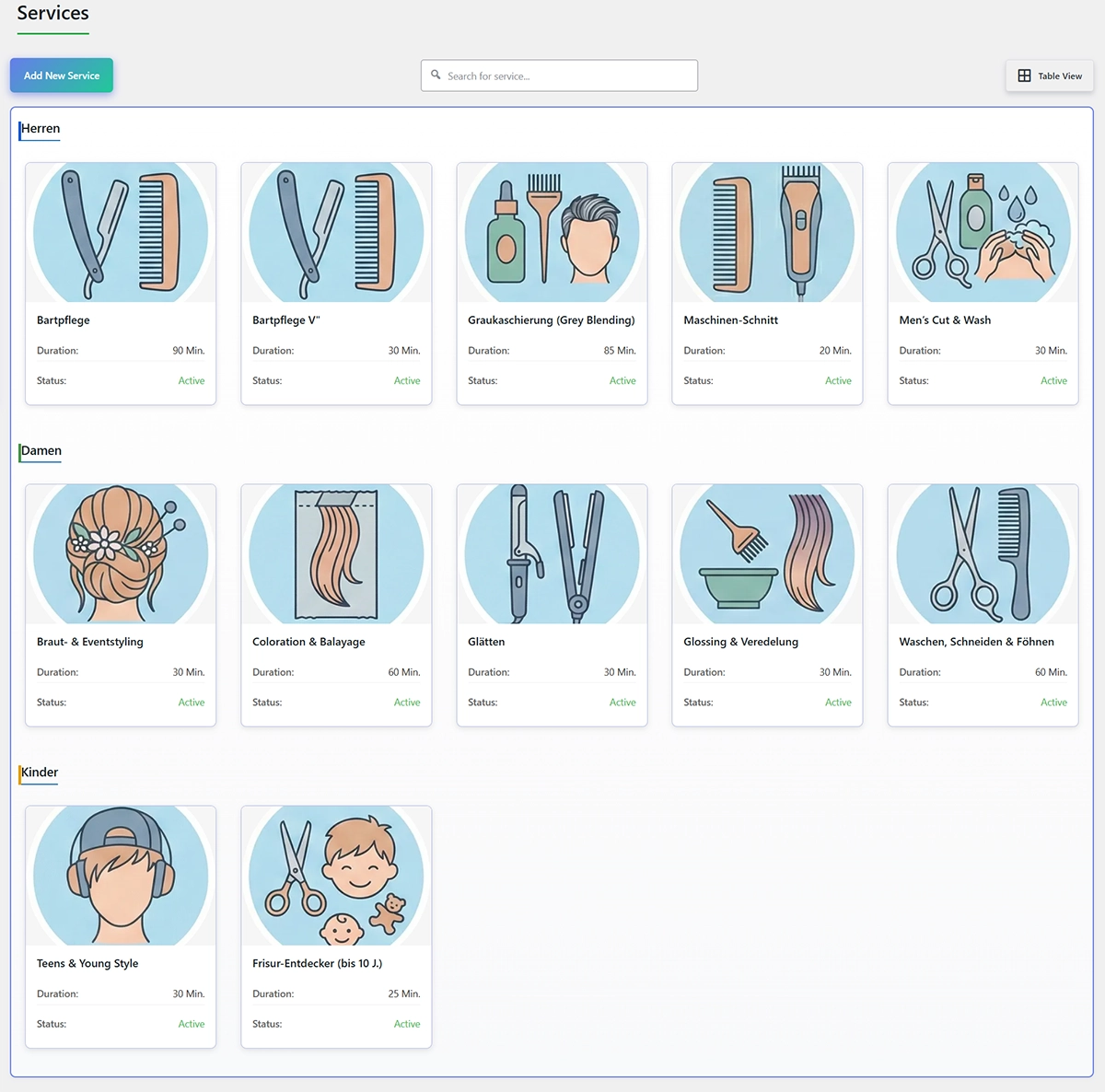
Add as many services as you need, with duration, price and a picture.
Staff
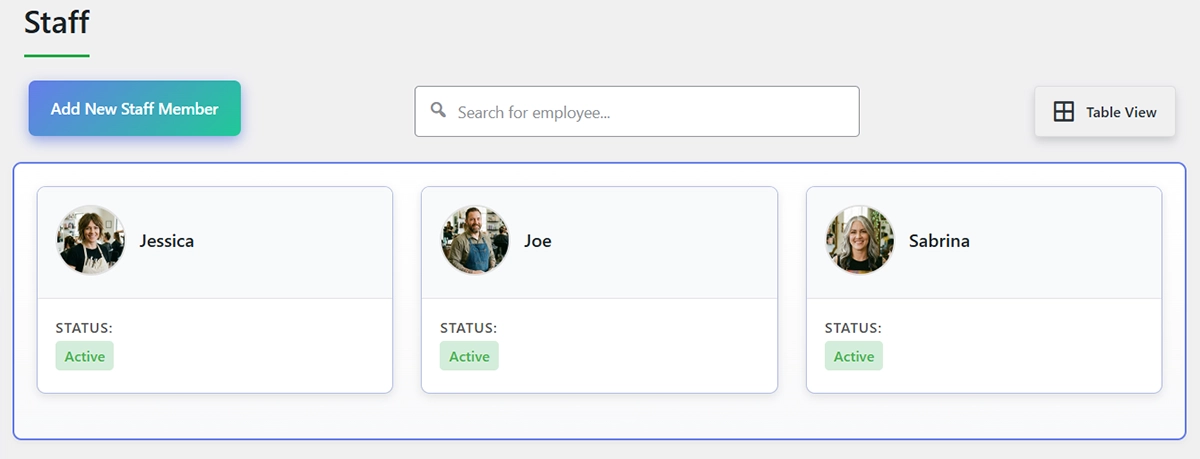
Everyone on the team gets their own hours, services and calendar.
Categories
Group your services with colored categories and their own forms.
Phone app
Appointments, calendar and bookings with you, and no app store.
Who PocketBooking Pro is for
Hairdressers and beauty salons
Customers choose the service, the stylist and the time. You stay with the work in the chair.
Clinics and therapists
Fixed treatment times, buffers and reminders keep the day calm.
Coaches and studios
Offer sessions in different lengths and prices, chosen right in the form.
Workshops and rental
Services without a staff member too, for rooms, lifts or equipment you lend out.
How it works
From setup to the first online booking
Ready in a few minutes.
Set up the plugin
A wizard walks you through opening hours, services and your team.
Add the form
Place the booking form on any page. No coding, and no changes to your theme.
Customers book online
Service, staff member, time and contact: customers are guided through the booking.
Manage in the app
Dashboard, calendar and bookings, right on your phone.
Features
Every feature in one place
Professional appointment management with a one-time license* instead of a subscription. Pick a section and see what PocketBooking Pro does for you.
The guided booking wizard
Customers are led through the booking step by step: service, staff member, time and contact. No back-and-forth and no phone call.
- Services as cards with a picture, duration and price
- Services grouped by category, with colored headings
- Shortcuts for today and tomorrow, plus a calendar
- Choose a staff member, with a photo
- Only times that are actually free are shown
- A summary before the booking is sent
- A separate form for each category
- No page reload while booking
Booking options and variants
One service, several variants: customers choose duration and price in the form.
- Templates for variants, such as 30 minutes, 60 minutes or half a day
- A price of its own for each variant and service
- With several variants, a choice appears in the form
- With one variant, duration and price sit on the card
- A good fit for coaches, studios and therapists
Staff management
Add your team with a photo, their own hours and their own access to the app.
- Photo, name, email and phone for each staff member
- Assign them to any services
- Working hours for each staff member
- An “any staff member” option for your customers
- Their own access to the app, with their own calendar
- Each person only sees their own appointments
Availability that thinks ahead
No double bookings: the system checks the staff member, buffer, public holidays, vacation and notice period on its own.
- Opening hours for each weekday, simply on or off
- Separate hours for each staff member
- Availability per service: general, its own hours, or fixed dates
- A buffer after each service, for example to reset the room
- Public holidays and special days with their own hours
- Block vacation and seasonal breaks completely
- A minimum notice for new bookings
- How far ahead a booking can be made
- A time grid you can set yourself
Automatic emails
The right email goes out at each step, with your logo and a preview in the dashboard.
- A confirmation that the booking arrived
- Booking confirmed or declined
- A reminder before the appointment
- A confirmation when a booking is cancelled
- Confirm bookings with a button in the email, without logging in
- Your logo in every email
- Placeholders for name, date, service, price and staff member
- Templates that match the chosen language
Calendar and calendar feed
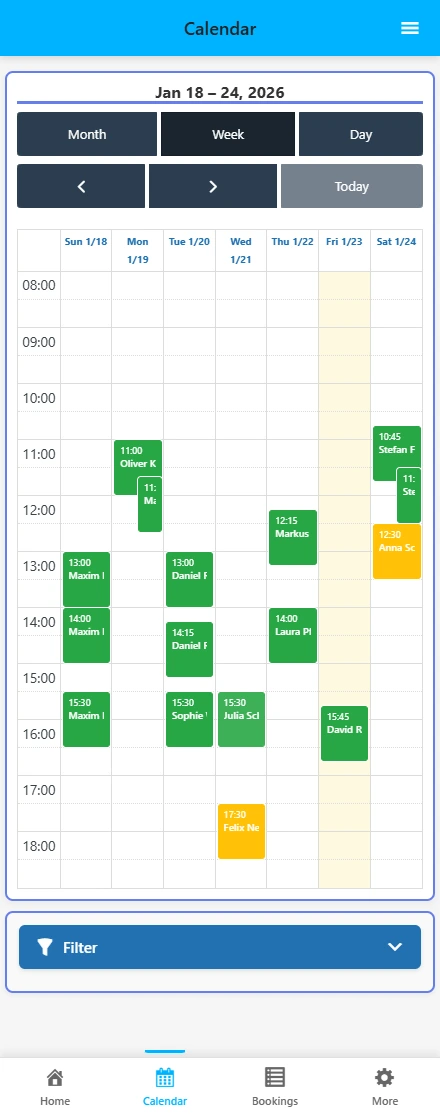
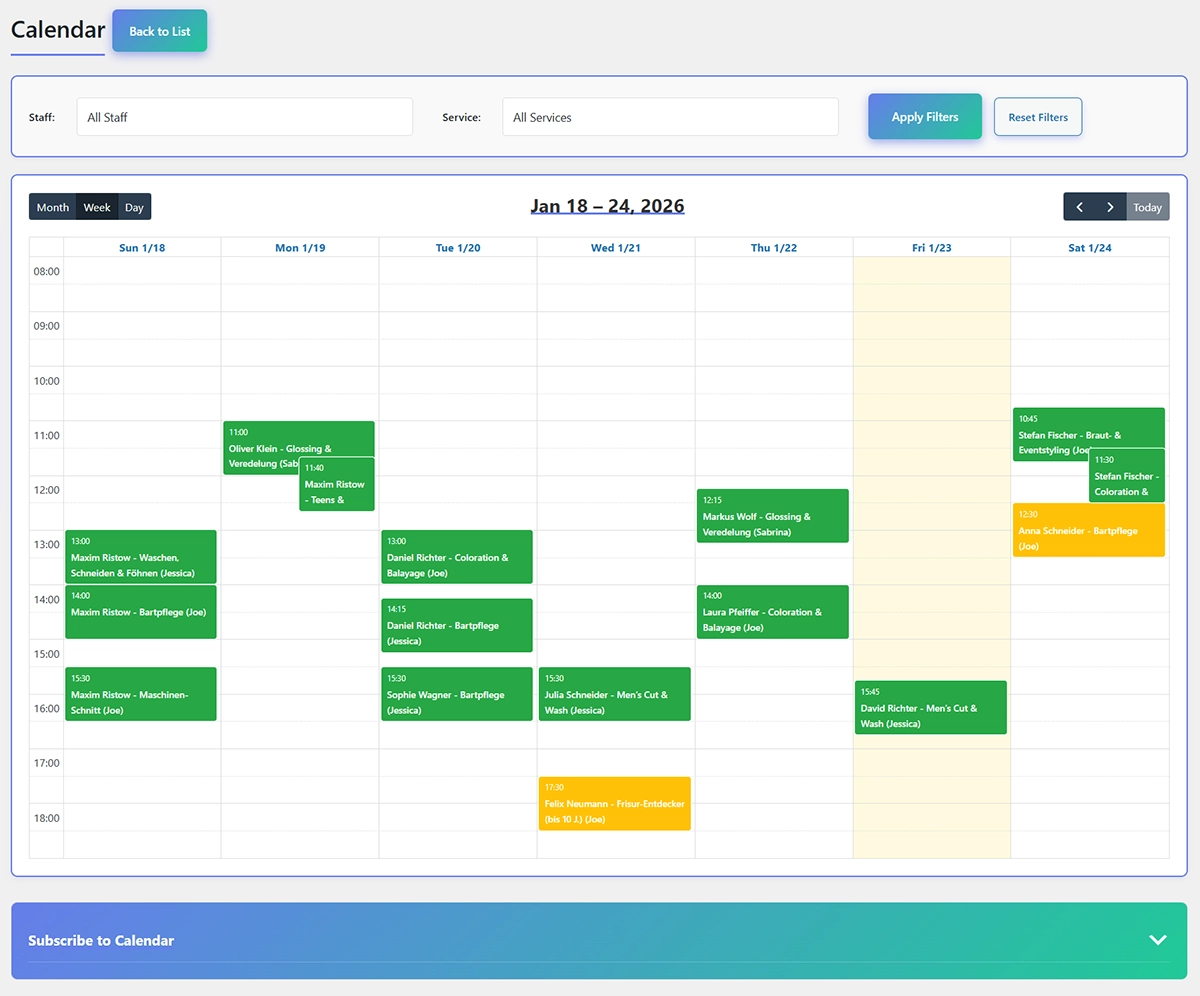
Every appointment in the calendar by month, week or day. Plus a calendar feed for your phone.
- Calendar by month, week and day
- Filter by staff member and service
- Change details and status right from the calendar
- Calendar feed for Google, Outlook, Apple and Thunderbird
- Instructions for each calendar app
- A protected link you can recreate at any time
Design without coding
You set colors, corners and headings with simple controls. The form matches your website.
- Background and text color for the form and the cards
- Color for buttons and button text
- Rounded corners for containers, cards and buttons
- Every heading in the form can be changed
- A live preview
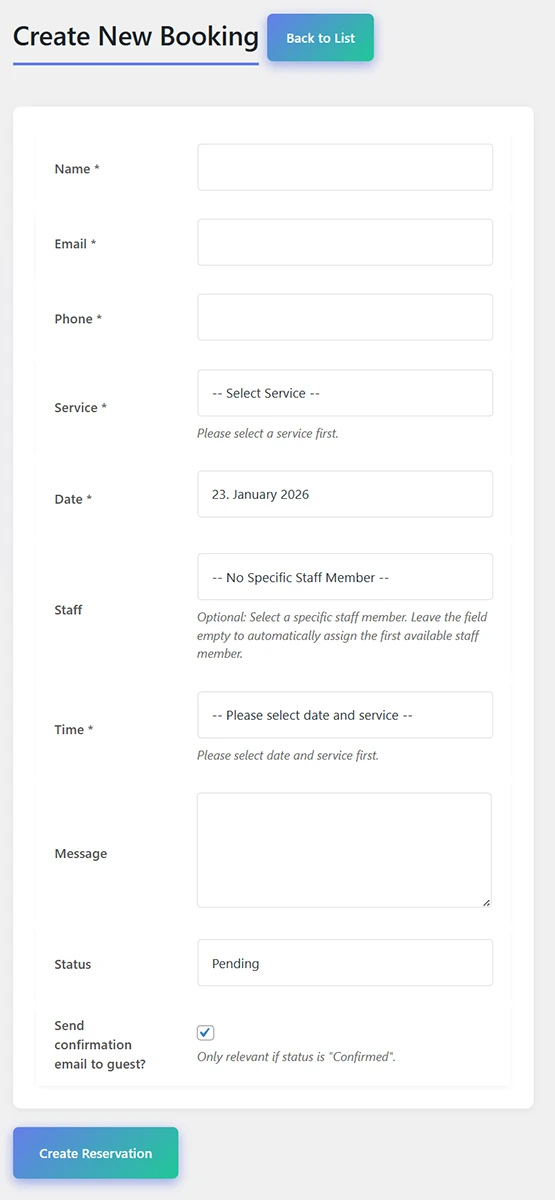
- Form fields by drag and drop: text, email, phone, choice, date and more
- Required fields and placeholders for each field
- Answers show up in the booking and in the calendar
Cancellation by your customers
Customers cancel appointments themselves. That saves you calls and frees the slot at once.
- A cancellation link in the confirmation
- A cancellation deadline you can set
- After the deadline, your phone number is shown
- An email confirming the cancellation
- Services without a staff member, useful for room rental and lending
Dashboard and statistics
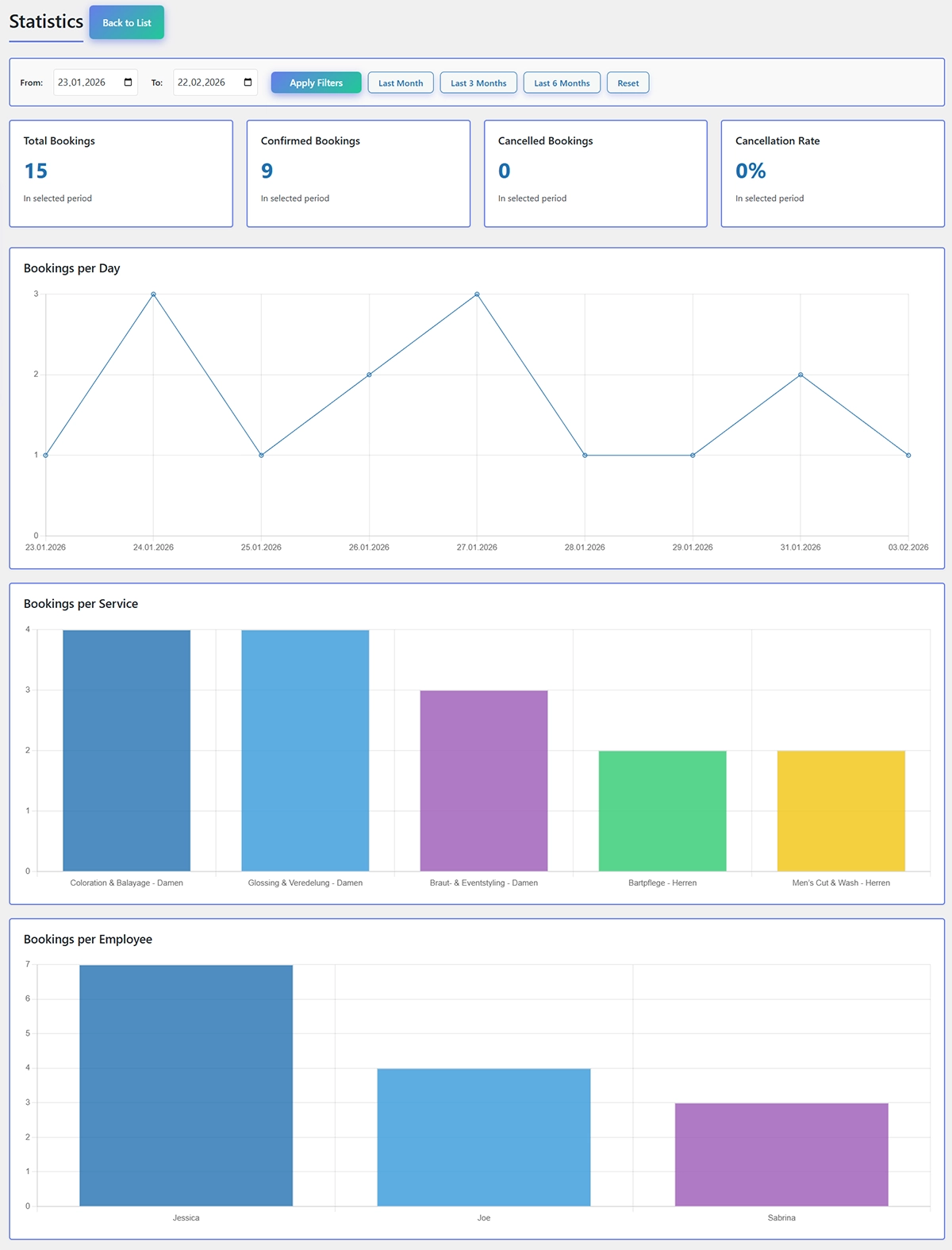
Real numbers instead of a guess: bookings, revenue and your day plan, right after login.
- Bookings today, this week and this year, with revenue
- A day plan with every appointment today
- Confirmed and cancelled bookings in view
- Charts by day, service and staff member
- A date range you can choose
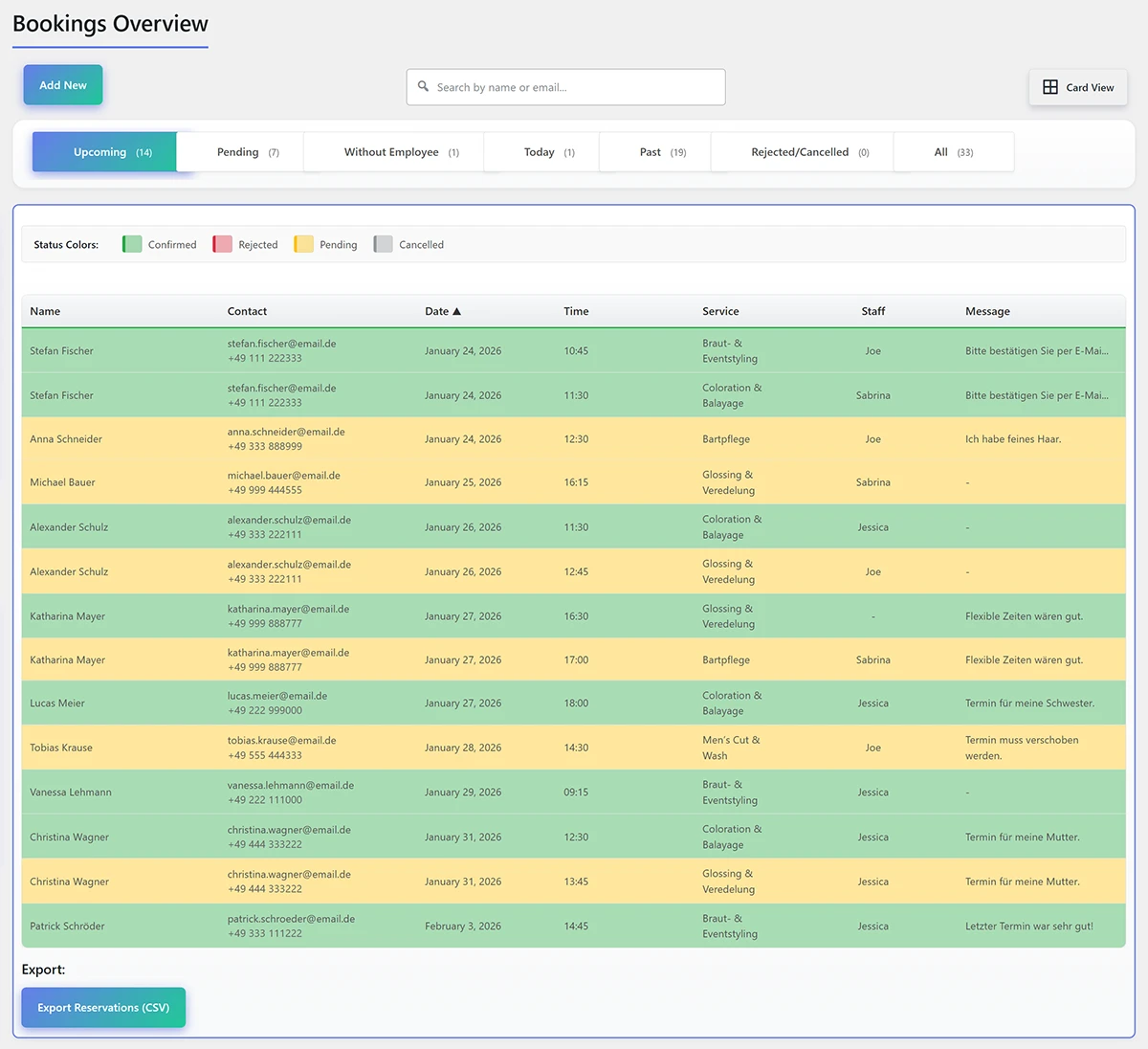
- A booking list with search, filters and sorting
- View as a table or as cards
- Export every booking as a file for Excel
- Notes when a setting is still missing
Your own phone app
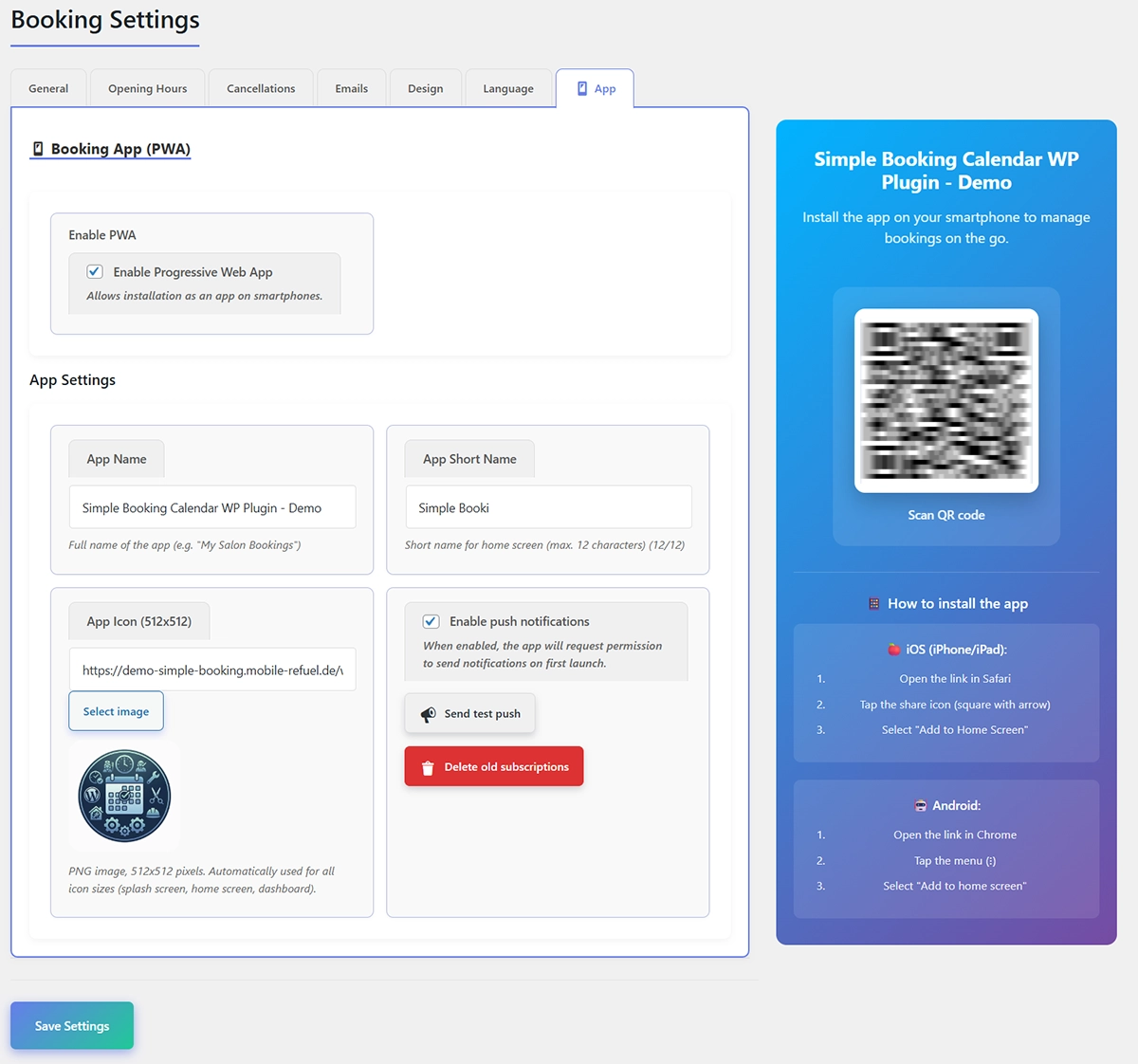
Manage appointments, the team and bookings on your phone. No app store, no coding, no subscription.
- For iPhone and Android
- A push notification for new bookings
- A dashboard with current numbers
- Calendar by day, week and month
- Edit bookings directly
- Your logo and company name as the app
- Separate access for your team
- Works without an internet connection too
Payment and invoices
Customers pay while they book. The invoice is created afterwards on its own.
Mit dem Payment & Invoice Add-on
- Online payment through Stripe, by card or SEPA direct debit
- Google Pay and Apple Pay
- Payment before confirmation, or after you approve the booking
- Payment status in the booking list
- A test mode so you can try it safely
- A PDF invoice with logo, address and tax
- An option for small-business VAT exemption
- A cancellation invoice and a refund from the dashboard
- Discount codes per service, including hidden codes for regular customers
Setup and privacy
A wizard walks you through setup. All data stays on your own server.
- A wizard for company name, opening hours, service, team and language
- You can start it again at any time
- German, English, Italian, Spanish, French, Polish, Russian and Swedish
- All data in your own WordPress database
- No exchange of data with outside providers
- Protected links with an expiry date
How booking works
Three steps to an appointment
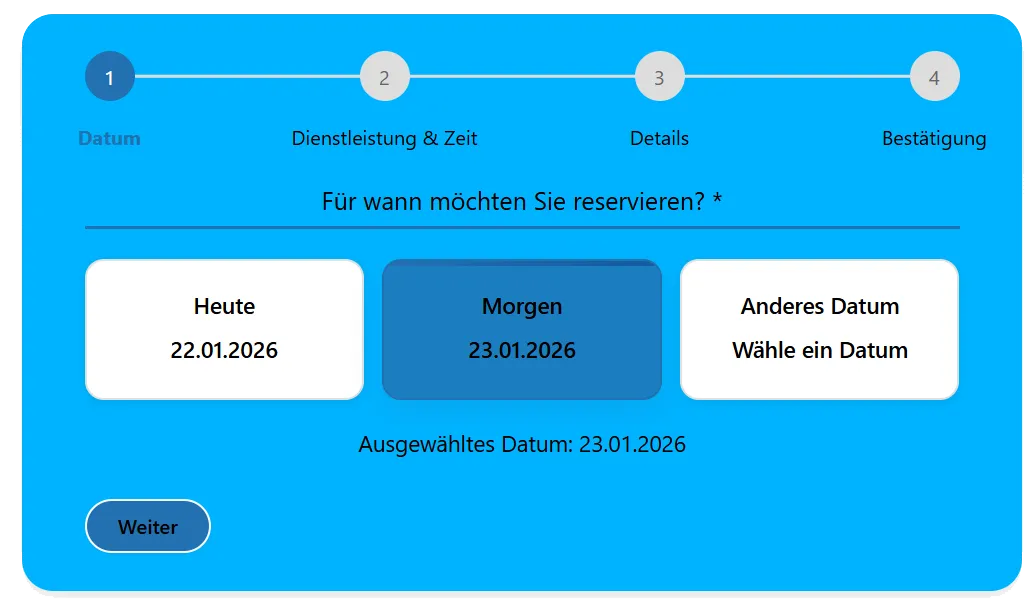
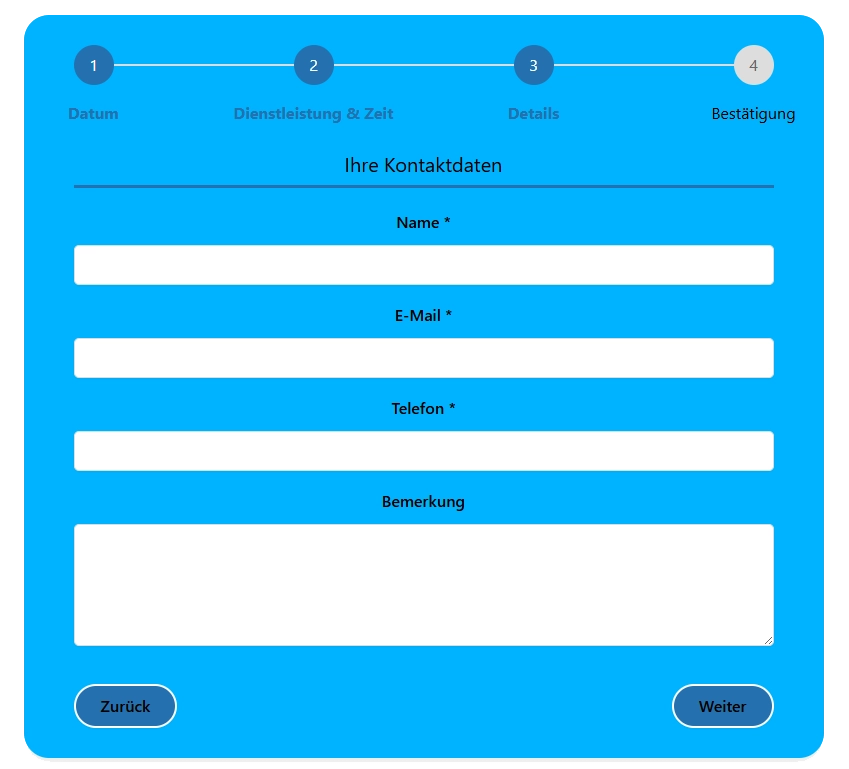
While you cut, color or advise, customers book on their own. Only times that fit the team and the opening hours are shown. Tap a picture to see it larger.
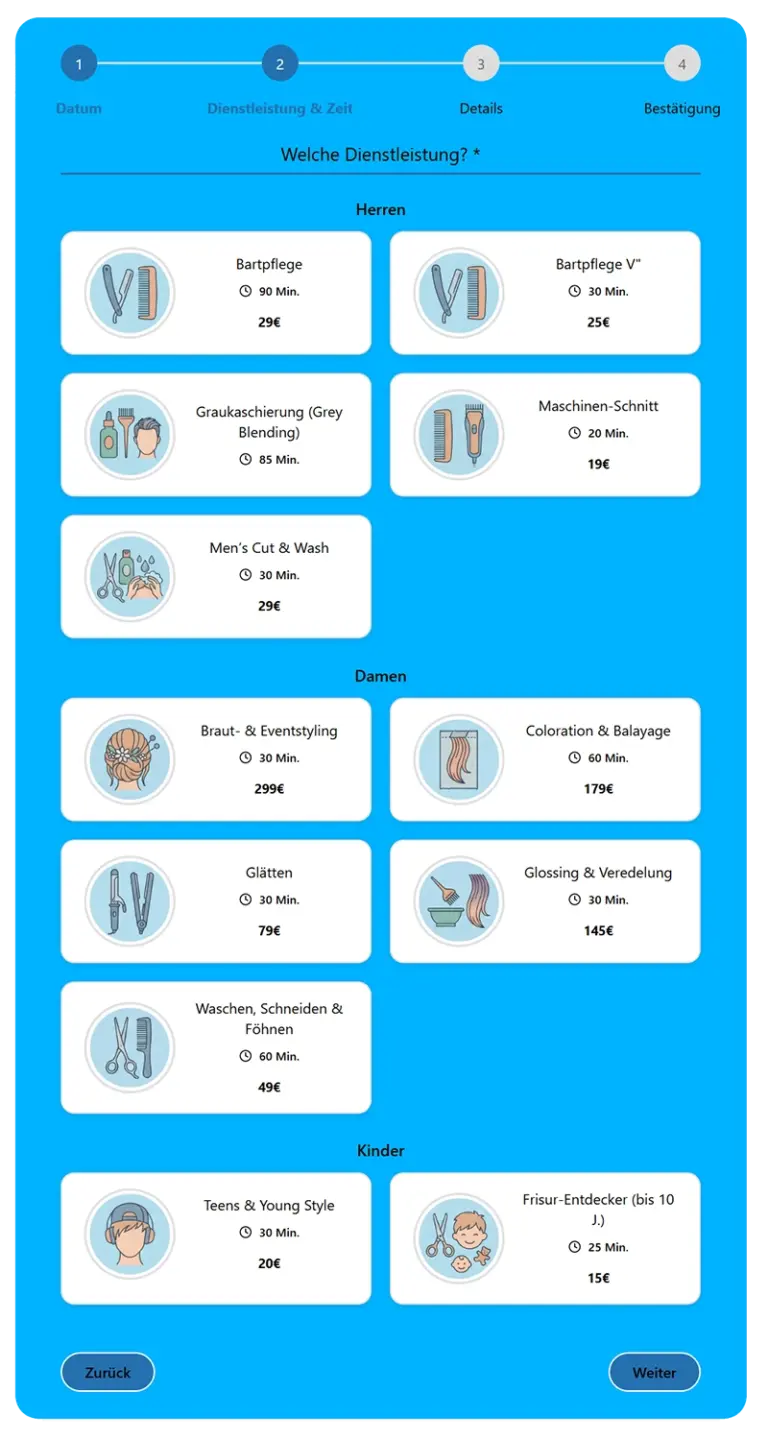
Choose a service
Customers see every service with duration and price, and choose with one click.
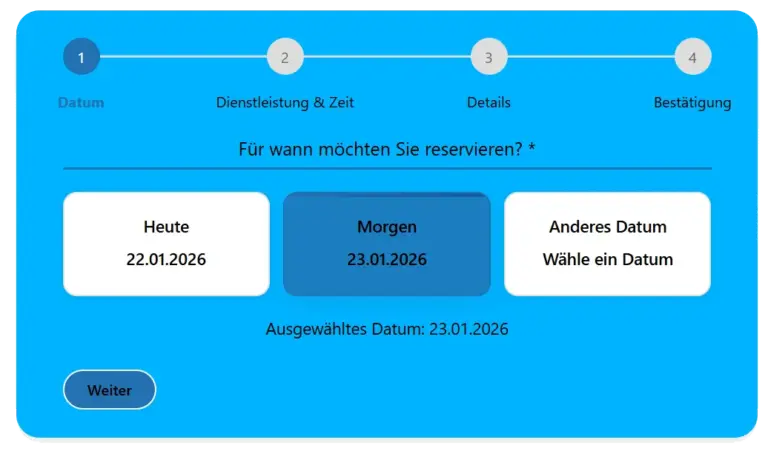
Day and time
Customers choose the day and time. Only free slots that fit the team and the opening hours are shown.
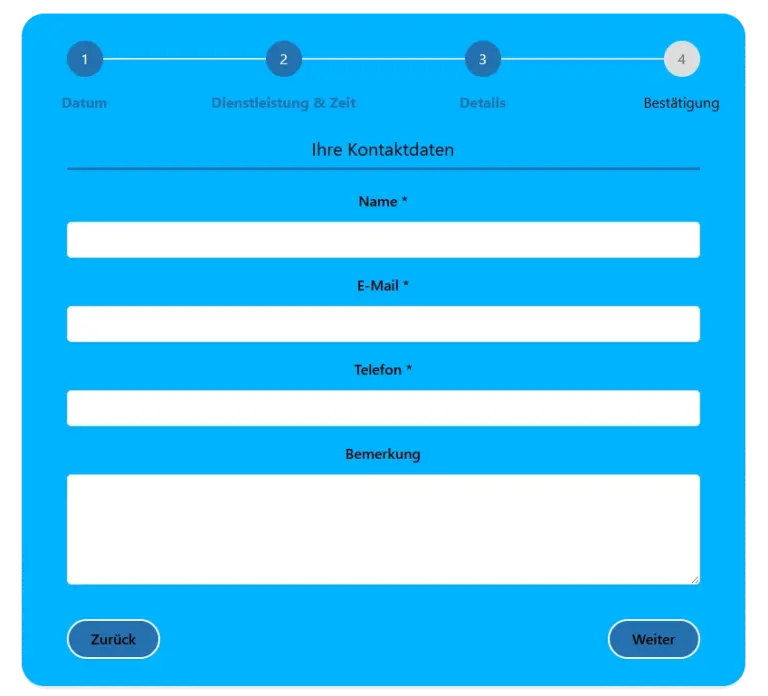
Contact details, then done
Enter a name and contact details, add a note if you want, and send. The confirmation arrives by email at once, and a reminder follows before the appointment.
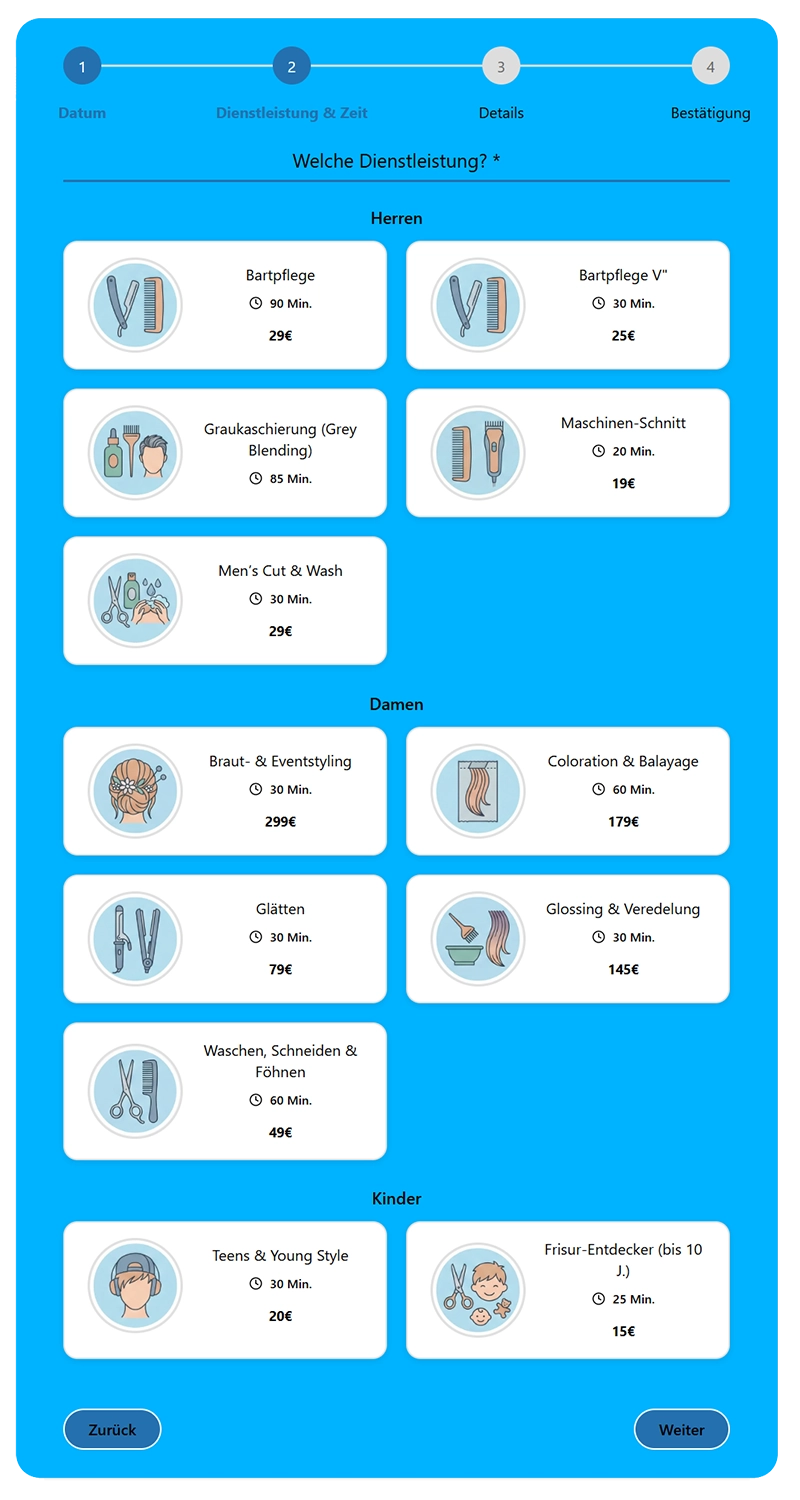
A closer look
What PocketBooking Pro looks like
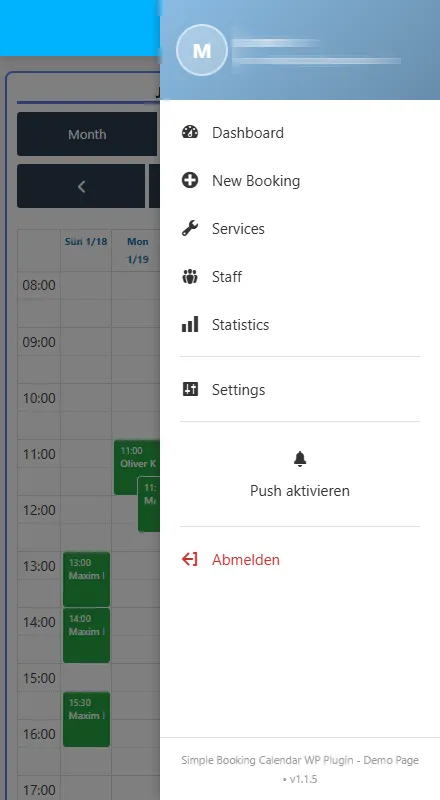
A look at the app and the dashboard. Tap a picture to see it larger.
Full control, and no app store
Turn your phone into your booking desk. The app sits on your home screen and feels like a regular app: quick and simple.


The dashboard at a glance
Dashboard, calendar and settings: this is how you fit the system to the business.

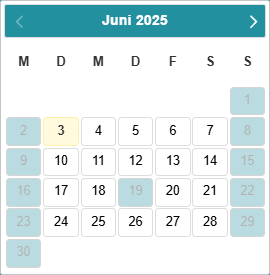
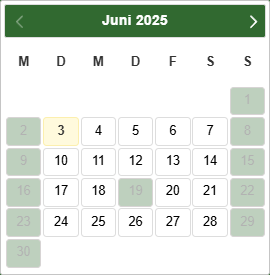
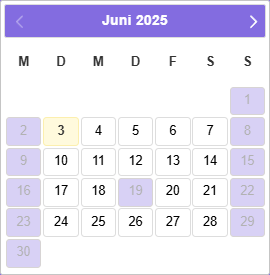
A calendar in your brand colors
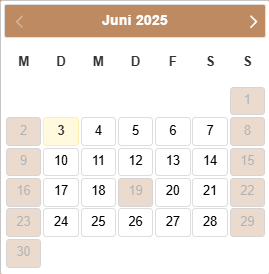
The date picker uses your colors. You set closed days and public holidays yourself.
Cost comparison
Why rent it when you can buy it?
An honest 3-year cost comparison for professional appointment booking.
- PocketBooking Pro* one-time, with the payment add-on for online payment and invoices€218
- Amelia €54 to €228 per year, total after 3 years€162 to €684
- BookingPress €72 to €228 per year, total after 3 years€216 to €684
- Bookly €81 to €228 per year, total after 3 years€243 to €684
The base plugin is €129 once. With the payment add-on (€89 once) the total is €218. For the other providers, the dark part is the lowest plan and the light part reaches the highest.
Note: prices are based on the public information from each provider (as of April 2026) and can change. Features can differ by plan.
One price. No contract.
Your lifetime license* with no subscription
Every package includes all features. You pay once and keep using the plugin with no time limit.
For owners
Standard
€129 / 1 project
- License for 1 domain or project
- Updates for 12 months
- Support for 12 months
For developers
Pro
€349 / 5 projects
- License for 5 domains or projects
- Updates for 24 months
- Support for 24 months
For agencies
Ultra
€649 / 20 projects
- License for 20 domains or projects
- Updates for 24 months
- Support for 24 months
Support and updates
€69 per year
When the support and update period ends, you decide whether to add a support package. You can let it lapse and still buy it two years later. The price stays €69 per year, whether the license is Standard, Pro or Ultra.
* Licenses: a one-time payment, no subscription and no automatic renewal. The license for the version you bought does not expire. Updates and technical support are included from the purchase date for the period named with each package. After that you keep using the last installed version. Further updates are optional.
Try it free for 14 days. No purchase required. Download the plugin and try it.
Download the pluginOptional add-on
More with the add-on
The plugin covers appointment booking, services and rental. The Payment & Invoice add-on adds online payment, automatic invoices and discount codes. Buy it once, and try it free for 14 days, with no credit card.
Payment & Invoice
Payment and invoices€89 one-time, no subscription
- Online payment through Stripe, with many payment methods
- Google Pay and Apple Pay
- Pay by invoice
- Your own payment methods
- Automatic PDF invoices
- Sequential or random invoice numbers
- Discount codes with an expiry date
- Prices by service and duration
Background
Why your own WordPress booking system is the better choice for a business
Many service businesses look for a reliable WordPress booking system so the day can run digitally. Customers expect to book a haircut or a workshop slot online, at any time. Instead of depending on large and expensive portals, more owners choose software that runs on their own website. That is what I built this WordPress appointment plugin for.
Independent of the big portals: the revenue stays yours
Large booking platforms bring reach in the short term, and dependence in the long term. Most of them take a commission for every customer who books through their system. With your own WordPress booking system you pay once* for the software and then nothing per appointment. Every euro from a booking stays in your till.
More time for the work
A full day and a phone that never stops is a stressful mix. While you work you have no time to write appointments by hand or answer emails. The booking system does that for you, and it is available all day. It checks which staff are free, prevents double bookings and sends confirmations to your customers. You save time every day and stay with the actual work.
Privacy: you keep control of the data
With outside booking services, customer names, phone numbers and email addresses sit on someone else’s servers. With PocketBooking Pro all of that stays on your own web server, with no exchange with outside providers. That makes the GDPR straightforward. The customer data belongs to you and to nobody else.
A system that grows with the business
A small salon, a busy clinic or a large workshop: the software follows your opening hours and your team. From public holidays to different services, you set the rules without making it complicated.
In short: if you want a safe and time-saving way to run appointments, this WordPress booking system has the tools a modern service business needs. Set it up once and let the software work for you.
FAQ
Common questions about the WordPress booking plugin
Can I really try the plugin for free?
Yes. You can try every feature for 14 days on your own website, with no risk. You do not have to buy first. Download the plugin and test it in a real salon or clinic. If it fits, you buy the permanent license afterwards.
Are there hidden costs or a monthly fee?
No. You pay once for the license, with no subscription and no commission per appointment. Updates and technical support are included from the purchase date for the period named with the package. After that the plugin keeps running in the last version you installed. Further updates are optional.
What does renewing support and updates cost?
Another year costs €69, whether the license is Standard, Pro or Ultra. You do not have to buy it the day the period ends. If it lapses, the installed version keeps working. You can still add the package two years later. The new year then starts on the day you buy it.
Do I need to know how to code?
Not at all. Setup takes a few minutes. You enter your services and staff in the system. Colors and rounded corners are simple controls that match the form to your website.
What happens when the business is fully booked?
The booking system protects you from double bookings. It checks, in real time, which staff are free and how long the chosen service takes, including buffers. Full times disappear from the form automatically.
Can I enter vacation days or different opening hours?
Yes, and it is straightforward. You can block single days off or set special hours for public holidays. The system also follows the working hours of each staff member automatically.
My customers speak different languages. Is the form multilingual?
Yes. Ready-made translations are included: German, English, Italian, Spanish, French, Polish, Russian and Swedish. In the settings you choose the language that fits your location and your customers. The booking form, the dashboard and the automatic emails then all use that language.
Can I sync appointments with my own calendar?
Yes. You can subscribe to a protected calendar. Booked appointments then show up in color in Google Calendar, Outlook or Apple Calendar. You can see how full the day is even when you are away.
Can customers cancel their own appointment?
Yes. Every automatic confirmation includes a link. The customer can release the appointment if something comes up. That slot becomes available again at once.
Do I have to log in to WordPress for every new request?
No. You can install the system as an app on your phone, with no app store. As soon as a new booking arrives you get a push notification. Open the app and manage the appointment on the phone. You can also confirm or decline with a button in the email.
What about privacy and the GDPR?
Because the software runs on your own website, customer data stays on your server. Nothing is shared with outside portals. That makes the GDPR requirements much easier to meet.
In person
Questions about PocketBooking Pro?
I am Maxim, and I stand behind PocketBooking Pro. Setup, the add-on or the right license: just ask, and I will help.
Just ask.
You can reach me by WhatsApp, phone, email or LinkedIn. I reply myself.
Bock auf eine schöne Homepage?
Ich bau dir eine.Vom ersten Gespräch bis zur fertigen Seite. Persönlich und ohne Fachchinesisch.